

When a casino website loads slowly or a game refuses to open, players naturally want to know whether the problem is widespread or limited to their device. Checking the Boomerang Casino server status can help separate a temporary service interruption from a local connection issue. For players in the United Kingdom, it is also useful to understand how maintenance, payment processing and account checks may affect access.
This review explains what server status can—and cannot—tell you, how to troubleshoot common problems, and what to consider before attempting to deposit or play. For current information, consult the casino’s official channels and account notices. A third-party status page may offer useful context, but it should not be treated as confirmation from the operator.
What “server status” means
A casino platform is made up of several services: its website, account system, games, cashier, payment providers and customer support tools. These components do not always experience problems at the same time. The home page might work while a particular game provider is undergoing maintenance, or the cashier might be temporarily unavailable even though players can still sign in.
That is why a single label such as “online” or “down” can be misleading. A useful status check considers what you are trying to do. If you can browse games but cannot start one, the issue may concern a game server, browser compatibility or a particular connection route. If login fails across several devices, an account or platform issue may be more likely.
How to check whether Boomerang Casino is available
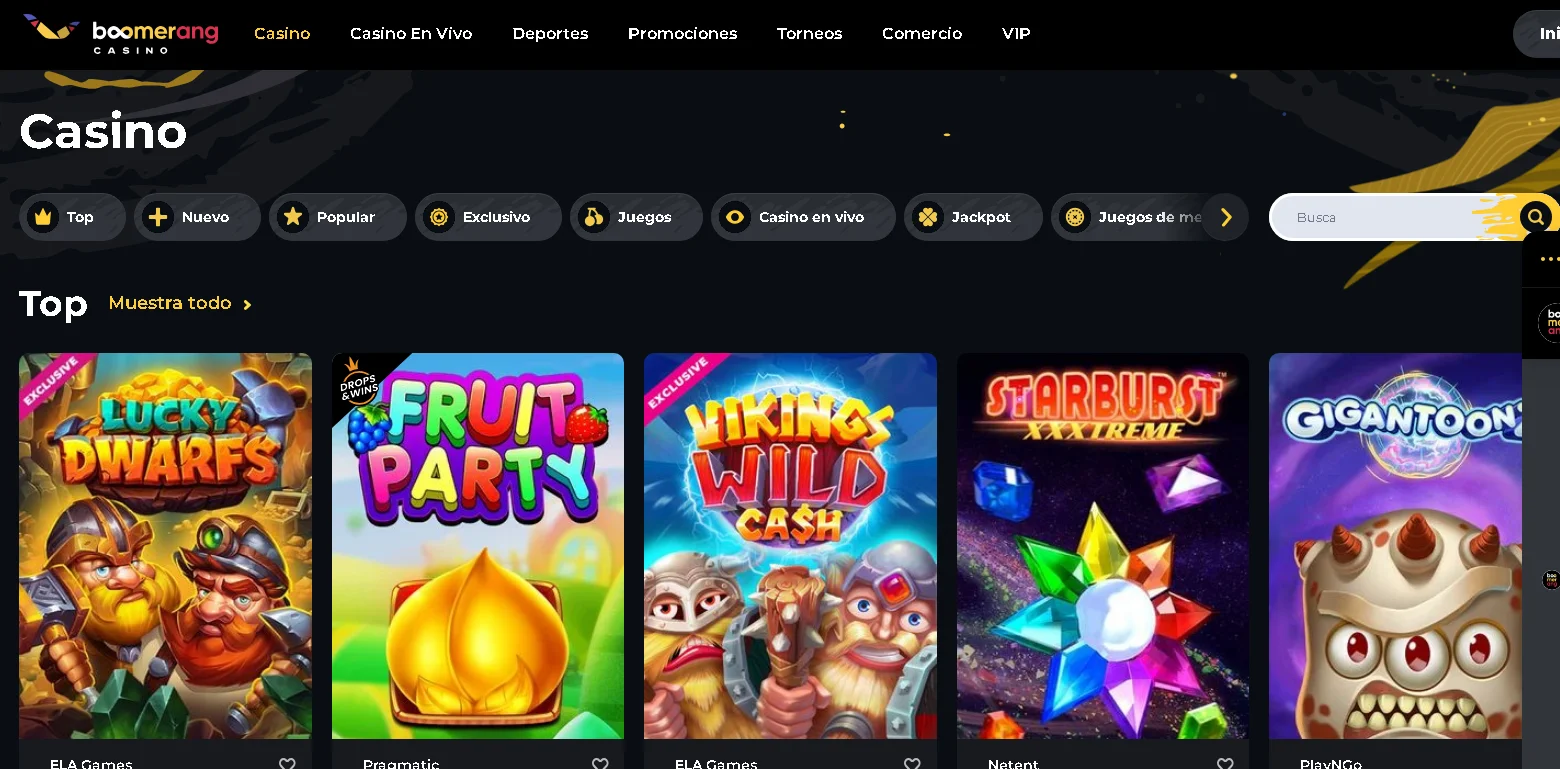
Start with the official casino website and any service notices shown there. If the site opens, check for messages about scheduled maintenance, delayed payments or temporary restrictions. You can also review official social media or contact support, but be cautious of unofficial accounts and links. The address https://boomerangcasinobonus-uk.com/ may be used as a reference point, but do not assume that any third-party page is an official status source. Verify the casino’s current web address independently before entering account details.
Next, test the service in a measured way. Refresh once, then try a different page or game. Avoid repeatedly submitting login or payment forms: duplicate attempts can create confusion, and multiple deposit attempts may result in several pending transactions. If you can, check the site on another trusted network or device. Do not install unknown apps, browser extensions or “fix” tools suggested by strangers.
Common signs of a wider outage
- The website and account area fail to load on more than one device and network.
- Several unrelated games display the same connection error.
- The cashier remains inaccessible while other pages are available.
- Official notices mention maintenance or a service interruption.
- Support confirms that the relevant feature is temporarily unavailable.
None of these signs proves an outage on its own. A problem with a home router, mobile network, browser settings or internet provider can produce similar symptoms. The strongest indication is a notice from the operator or a direct confirmation from its support team.
What players should do during an interruption
If you are already signed in when a game stops responding, do not assume that a spin, wager or feature has been settled. Wait for the screen to recover and check your balance and transaction history before continuing. If a round appears incomplete, record the approximate time, game name and any displayed reference number. Contact support with those details rather than repeatedly launching the same round.
For a failed deposit, first check whether your bank or payment wallet shows a completed, pending or declined transaction. A card authorisation may appear temporarily even when the casino has not credited the funds. Keep a screenshot or transaction reference, but never send a full card number, password or one-time security code to support. Use only the casino’s verified contact route.
When the interruption affects withdrawals, review the cashier and account messages before submitting another request. A withdrawal can be under routine review rather than blocked by a server fault. Identity verification, payment-provider processing times and the casino’s stated terms may all affect the outcome. If the request is still pending beyond the published timeframe, ask support for its status and retain the reply.
Basic troubleshooting for UK players
Before concluding that the casino is unavailable, try straightforward checks. Confirm that other trusted websites work, close and reopen the browser, and make sure it is up to date. Clear site data only if you understand that this may sign you out. If you use a VPN, private relay or restrictive network filter, try the connection without it where lawful and safe to do so; some services may block or limit access through certain routes.
On a mobile device, switch between Wi-Fi and mobile data to see whether the issue is network-specific. Do not use public Wi-Fi for account or payment activity unless you trust the network and have appropriate device security. If an app is offered, obtain it only through a verified official source. A casino website can sometimes work in a browser even while an app needs an update, but an app download should never be required to “restore” an account or release funds.
Account access and verification
A login problem is not always a server problem. Check that the username and password are correct, and use the official password-reset process if necessary. Repeated failed attempts may trigger a security restriction. If the casino requests identity documents, follow the instructions in the authenticated account area or through verified support. Do not send personal documents to an address found in an unsolicited message.
UK players should also check that they meet the operator’s eligibility requirements and are accessing the service in a permitted location. Account restrictions can arise from verification, safer-gambling controls or a review under the casino’s terms. Support should be able to explain the applicable process, although it may not be able to provide an immediate resolution during a wider technical incident.
Promotions, bonuses and server interruptions
A temporary outage can coincide with a promotion deadline, but players should not assume that an offer will automatically be extended. Read the promotion’s terms for its expiry time, qualifying games, wagering requirements and any rules about interrupted play. If access fails near a deadline, save evidence of the issue and ask support whether the promotion remains available. A bonus is not cash, and its conditions may limit withdrawals until the relevant requirements are met.
Do not chase a missed offer by depositing more than planned or accepting a different promotion without reading its conditions. If you have chosen to use gambling controls, such as deposit limits or a time-out, an outage is not a reason to remove them. Those controls are intended to support safer play, not to be bypassed when a service becomes inconvenient.
Questions and answers
How can I tell if Boomerang Casino is down for everyone?
Check the casino’s verified notices and ask support. You can also test the site on another device and network, but third-party reports are only clues. If the service works elsewhere, the cause may be local rather than a platform-wide outage.
Why does the website open while a game does not?
Games may rely on separate providers and systems. A single title can be unavailable because of maintenance, a provider connection issue or compatibility trouble, even when the casino’s main pages remain accessible.
What should I do if a deposit is pending?
Check the transaction status with your payment provider and review the casino cashier. Do not submit the same deposit repeatedly. If the funds are debited but not credited, contact verified support with the time, amount and payment reference, while keeping sensitive credentials private.
Can I keep playing if the connection drops?
Wait until the game reconnects and confirm the outcome in your balance or history. If a round is unclear, stop playing and ask support to investigate. Do not repeat a wager simply because the screen did not update.
Keeping a clear record
When reporting a technical issue, provide concise, useful information: the time and date, your device and browser, the affected page or game, the error message, and whether other parts of the site worked. Include transaction references where relevant, but remove passwords, full payment details and security codes from screenshots. A precise report can help support distinguish an outage from a device-specific fault.
It is also sensible to keep your own notes until the matter is resolved. Record the time you contacted support and any case number provided. If a payment or game-round query remains unresolved, follow the casino’s formal complaints process and consult its published terms for the next steps. Do not rely on a forum post or an unofficial “status checker” as a substitute for the operator’s response.
Bottom line
Boomerang Casino server status matters because different parts of the service can fail independently. Check official notices first, then test your connection and device without making repeated deposits or wagers. During an interruption, verify balances and transaction records before continuing, and contact support through a trusted channel if money or a game round is involved.
For UK players, the practical approach is to stay patient, protect account information and follow the casino’s published rules. A short outage may resolve quickly, while account verification or payment-provider delays can require separate attention. Treat status reports as a starting point—not a guarantee—and make decisions about play and spending independently of temporary technical problems.